Synera add-in · Connector
MATLAB Connector
Run MATLAB scripts from a Synera workflow and pull the resulting workspace variables straight back as node outputs.
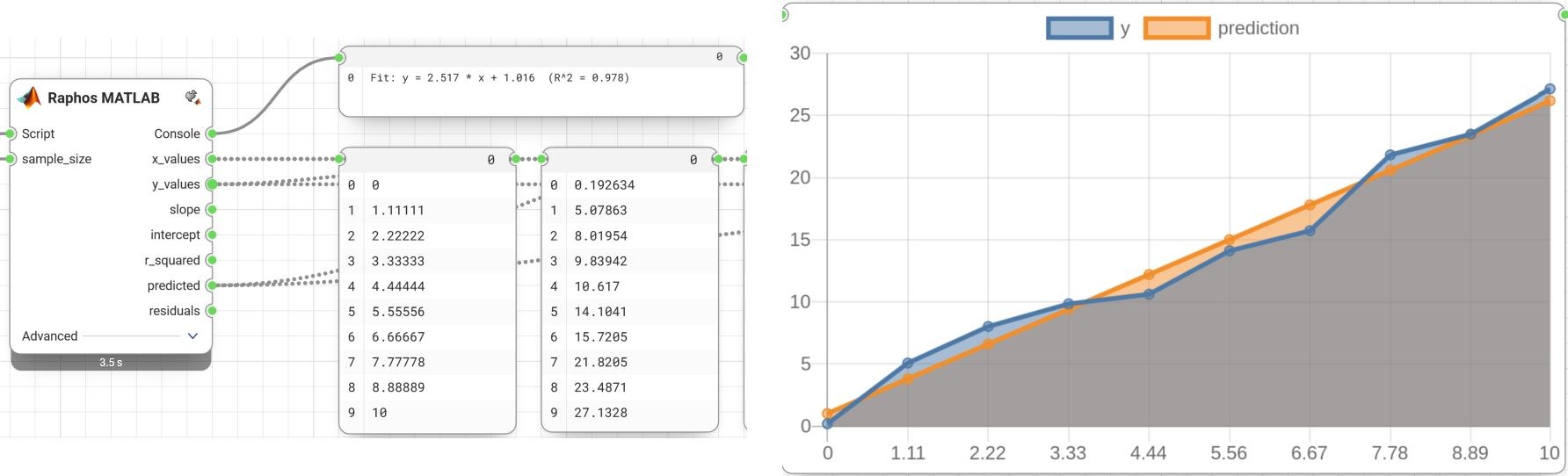
The MATLAB Connector lets a Synera workflow run MATLAB. Point a node at inline MATLAB code or a `.m` file, push inputs into the MATLAB workspace, and the script’s results come back as ordinary node outputs — so engineering maths already written in MATLAB becomes just another step in an automated Synera pipeline.
It drives MATLAB through its Automation Server, so the real MATLAB engine does the work and everything it can compute is available inside Synera.
MATLAB as a workflow node
Each input port is named after a MATLAB variable and carries its own type, the script runs, and the connector reads the assigned variables back out — one output per result.
- Run inline MATLAB code or an external `.m` script from a Synera node.
- Add one typed input port per variable (number, integer, boolean, text, or lists of them) and push it into the MATLAB workspace before the run.
- Scan a script to expose one output per variable it assigns.
- Bring existing MATLAB analyses into automated Synera workflows without a rewrite.
More in Synera Add-ins
Related work.
Interested in MATLAB Connector?
Tell us about your problem — we’ll tell you how we’d approach it.