Synera add-in · Connector
Power BI Connector
Push simulation and optimization results from Synera straight into Microsoft Power BI — feeding live dashboards.
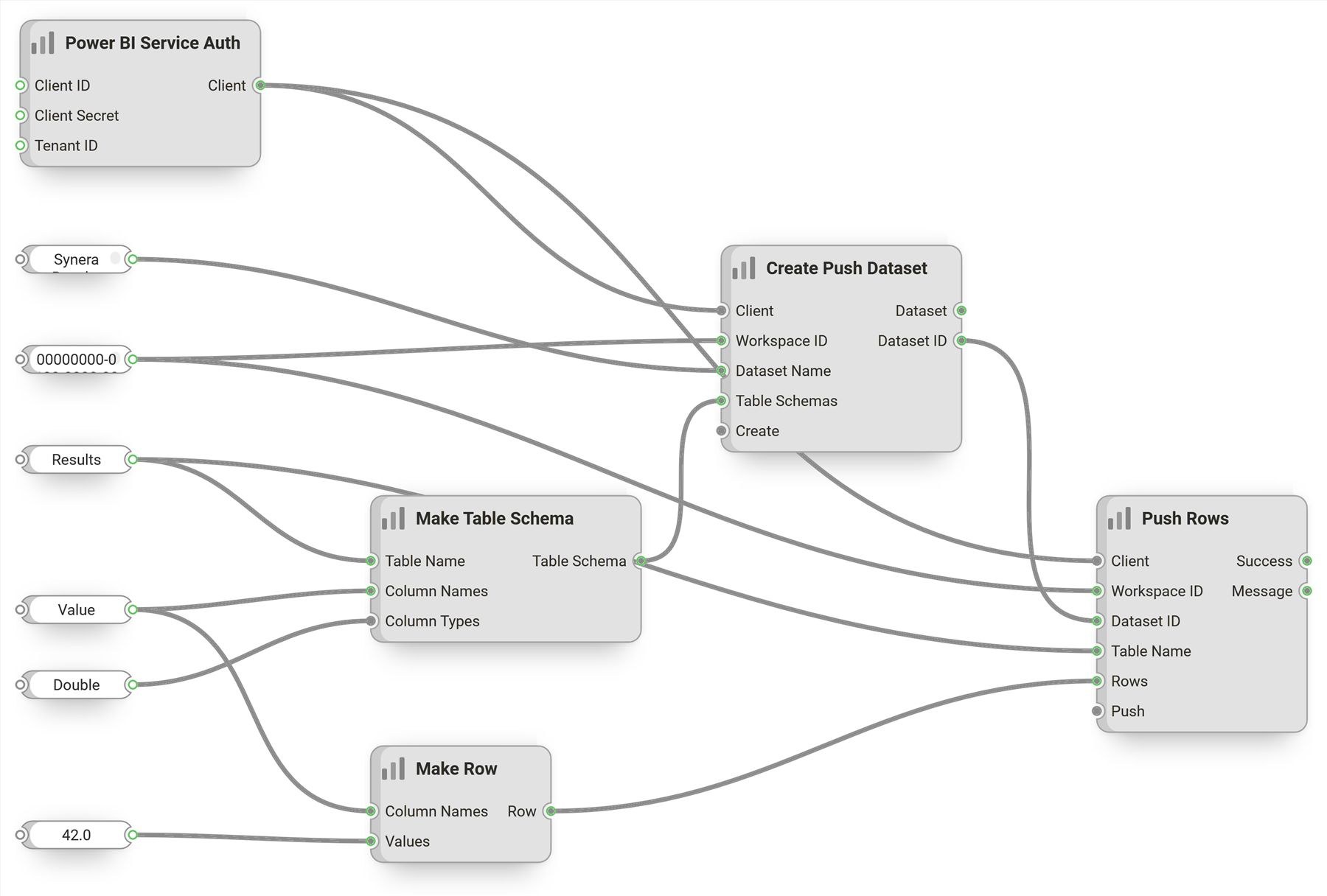
The Power BI Connector sends Synera-generated data — simulation and optimization results — into Microsoft Power BI, so engineering workflows can feed live dashboards instead of stale, exported spreadsheets.
It builds push-dataset schemas, creates the datasets and streams rows to them through the official Power BI REST API, on the same Azure AD authentication used by the Raphos Teams Connector.
From workflow to dashboard
The connector treats a Power BI push dataset as a live sink for workflow results — define the table once, then append rows as runs complete.
- Define a push-dataset table schema with typed columns and create the dataset from Synera.
- Append result rows to a table as a workflow runs; clear or refresh when needed.
- List the workspaces and datasets available to you.
- Sign in interactively, or as a service principal / service user for unattended Synera Run hosts.
More in Synera Add-ins
Related work.
Interested in Power BI Connector?
Tell us about your problem — we’ll tell you how we’d approach it.