Synera add-in · Connector
SimScale Connector
Drive cloud CFD and FEA from Synera — push geometry to SimScale and pull results back automatically.
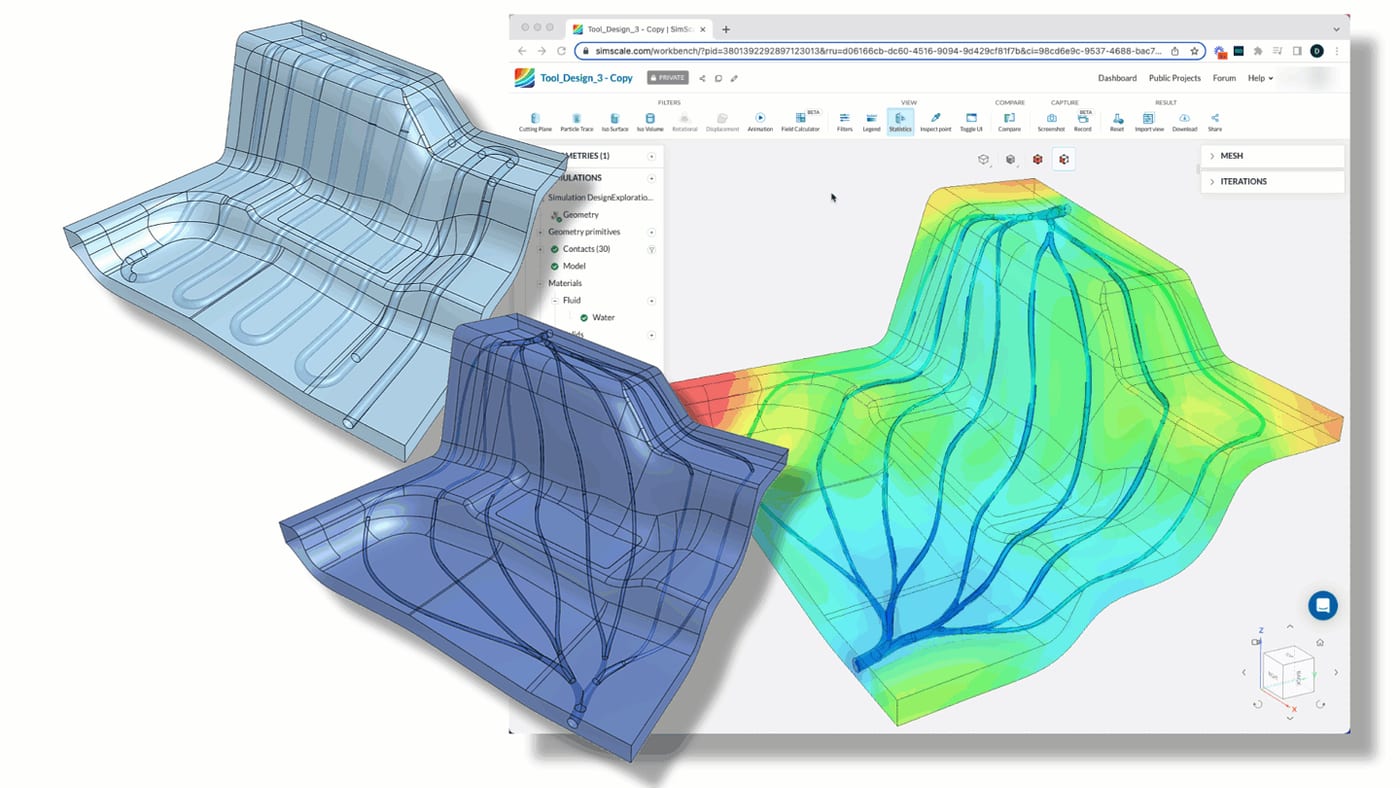
The SimScale Connector bridges Synera and SimScale’s cloud-native simulation platform. From inside a Synera workflow you can set up a simulation, send geometry and boundary conditions to SimScale, run it on the cloud and bring the results straight back — all programmatically.
That closes one of the most valuable loops in engineering automation: generate a design, simulate it properly, and feed the numbers back into optimization or decision-making, with no manual export-import in between.
Simulation in the loop
Manually moving geometry into a simulation tool, meshing, running and exporting is exactly the kind of repetitive, error-prone work automation should remove. The connector makes a SimScale analysis just another node in a Synera graph.
- Push parametric geometry and boundary conditions from Synera to SimScale.
- Launch and monitor cloud CFD / FEA runs without leaving the workflow.
- Retrieve results and map them back onto the originating geometry.
- Use those results to drive Raphos Optimizer for simulation-in-the-loop design.
More in Synera Add-ins
Related work.
Interested in SimScale Connector?
Tell us about your problem — we’ll tell you how we’d approach it.